Category: Google AI | Content Creation | AI Tools
Published: June 10, 2026
Read time: 6 min
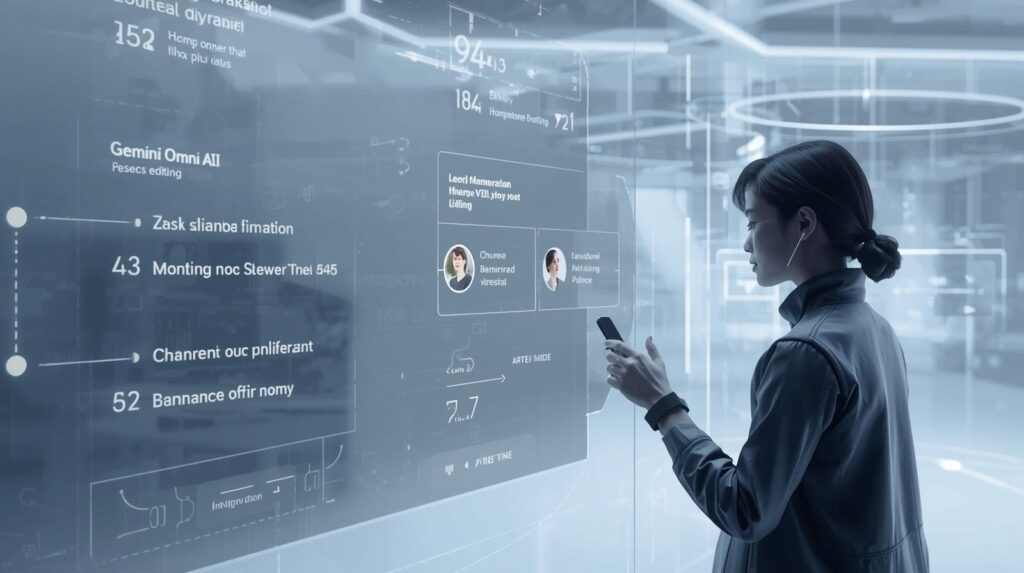
Imagine recording a short video, then simply typing: “Make the sculpture out of bubbles.” And it happens — instantly, realistically, with the physics of actual bubbles behaving exactly as they should.
That is not a concept demo. That is Gemini Omni Flash, Google’s brand-new AI video model, available right now to Google AI subscribers and rolling out for free on YouTube Shorts this week.
Announced at Google I/O 2026, Gemini Omni represents a fundamental shift in how AI handles creative content. It does not just generate videos from text prompts. Instead, it reasons about what should happen, understands the world around your footage, and lets you edit through natural conversation — one instruction building on the last.
Here is everything it can do — and why it matters.
What Is Gemini Omni?
Gemini Omni is Google’s new multimodal AI model, built to create anything from any input — starting with video. It combines Gemini’s reasoning and real-world knowledge with the ability to generate and edit high-quality video content.
The “Omni” name reflects its scope: any combination of inputs — images, audio, video, and text — can be combined to generate a single, cohesive output.
Google’s CTO Koray Kavukcuoglu described the vision clearly: “Where Gemini’s ability to reason meets the ability to create.”
Today, the first model in the Omni family — Gemini Omni Flash — is live. Image and audio output modalities will follow over time.
The 4 Things That Make Gemini Omni Different
1. Edit Videos Through Conversation
This is the headline capability. With Gemini Omni, you edit video using natural language — and every instruction builds on the last. The model remembers your scene, keeps characters consistent, and maintains physics continuity across multiple edits.
What this looks like in practice:
- Type: “When the person touches the mirror, make the mirror ripple like liquid, and the person’s arm turns into mirror material.” → It happens.
- Then type: “Now change the lighting to golden hour.” → The same scene updates, with the mirror ripple still intact.
- Then: “Add a reflection of mountains in the mirror.” → Everything stays consistent.
Traditional video editing tools require you to learn layers, keyframes, and effects. Gemini Omni replaces that entire workflow with conversation.
2. Transform Real Footage Into Something New
You do not need to start from scratch. Gemini Omni takes the video you have already filmed and transforms it based on your instructions.
Examples of what you can do with existing footage:
- Change what is happening in a scene — add new characters, objects, or actions
- Transform the environment completely while keeping the subject
- Apply visual styles, motion effects, or cinematic treatments
- Turn ordinary footage into something you could never have filmed yourself
For content creators, this is significant. Your existing library of phone footage becomes raw material for entirely new content — without reshooting anything.
3. Physics and World Knowledge Built In
Most AI video tools generate content that looks visually impressive but is physically wrong. Objects fall at incorrect speeds. Liquids behave like solids. Lighting is inconsistent.
Gemini Omni addresses this directly. The model has an improved intuitive understanding of forces — gravity, kinetic energy, fluid dynamics — allowing it to create scenes where physics actually makes sense. Furthermore, it draws on Gemini’s broader knowledge of history, science, and cultural context, bridging the gap between photorealism and meaningful storytelling.
A telling example from Google: A prompt asking for a marble rolling on a chain-reaction-style track produces smooth, physically accurate motion — continuous and consistent throughout.
4. Create From Any Combination of Inputs
Gemini Omni accepts any reference material as input and combines them into a single cohesive output:
| Input type | What you can do |
|---|---|
| Image | Use as a character, scene, or style reference |
| Video | Use as a base to transform or extend |
| Audio | Use as a soundtrack reference or voice reference |
| Text | Describe what you want in natural language |
| All combined | Mix any or all of the above in one prompt |
A real example: Upload a photo, a short video clip, and an audio file — then prompt: “Dynamic sci-fi film style video based on the image, with elements lighting up synchronized to the beat of the music.” Gemini Omni combines all three into one output.
Digital Avatars — Create Videos That Look and Sound Like You
One of the more personal features in Gemini Omni is Avatars — a tool that creates a digital version of yourself, allowing you to generate videos that look and sound like you without being physically present on camera.
This has obvious applications for content creators, educators, and professionals who produce video content regularly but cannot always be on camera. Google notes it is approaching this feature carefully and responsibly, with clear policies governing its use.
Importantly, every video created with Gemini Omni — including avatar videos — includes Google’s SynthID invisible digital watermark. This watermark can be verified through the Gemini app, Gemini in Chrome, and Google Search, clearly identifying AI-generated content for transparency.
Who Gets Access — And When?
Available now:
- All Google AI Plus, Pro, and Ultra subscribers globally — via the Gemini app and Google Flow
Rolling out this week at no cost:
- YouTube Shorts users globally — via YouTube Shorts and the YouTube Create App
This is significant. YouTube Shorts has over 2 billion logged-in users per month. Rolling out Gemini Omni Flash to all of them — for free — instantly makes it one of the most widely distributed AI video tools ever launched.
What This Means for Content Creators and Marketers
For anyone producing video content professionally or for marketing purposes, Gemini Omni Flash changes the equation in several ways.
Lower barrier to high-quality video. You no longer need expensive equipment, large production teams, or advanced editing skills to produce polished video content. A smartphone video and a few text instructions can now produce something genuinely impressive.
Faster iteration. The conversational editing model means you can refine video content in real time, testing different approaches quickly rather than waiting for a full re-edit.
Repurpose existing content. Your existing video library — product demos, behind-the-scenes footage, event recordings — can be transformed and repurposed for new contexts without reshooting.
YouTube Shorts advantage. Creators already building on YouTube Shorts now have access to AI video generation and editing natively within the platform — a significant advantage for short-form content production.
However, with these capabilities come important considerations. SynthID watermarking ensures AI-generated content is identifiable — which means audiences and platforms will increasingly be able to distinguish AI-created video from human-shot footage. Transparency about AI use in content is becoming not just an ethical practice but a platform requirement.
The Bigger Picture
Gemini Omni Flash is the first model in a family that Google will expand over time. Image and audio output modalities are coming. Additional input types for audio are in development. The avatar feature will likely evolve significantly.
Moreover, Gemini Omni sits within a much larger shift at Google — the move toward AI that does not just assist but creates. Last year, Nano Banana brought AI image generation to millions of users. Now Gemini Omni does the same for video. The trajectory is clear: every creative medium is being brought within reach of conversational AI.
For content creators, marketers, and anyone who communicates visually, the message from Google I/O 2026 is direct. The tools are here. They are accessible. The question is simply how quickly you start using them
Pingback: Google I/O 2026: Welcome to the Agentic Gemini Era — Everything Announced and What It Means for You - The Tech Cursor