
Read time: 6 min
Table of Contents
- What Changed With Claude Opus 5.5
- Tip 1: Retest Your Effort Settings
- Tip 2: Lower Effort Before Changing Prompts
- Tip 3: Remove “Think Carefully” From Chat Prompts
- Tip 4: Use Time Budgets for Agent Tasks
- Tip 5: Tag Pasted Text From External Sources
- Watch Out — The max_tokens Problem
- Frontend Note: Set Clear Styles
- What This Means for Marketers Using Claude
- Bottom Line
Anthropic published an official prompting guide for Claude Opus 5.5 on September 28, 2026. The model launched on September 22, 2026. The guide asks developers and users to retest settings they carried over from Claude Opus 5 — because several defaults have changed and some common prompt patterns now work differently.
This is not a minor update. Opus 5.5 defaults to medium effort instead of high effort. Thinking cannot be turned off at all. Furthermore, instructions that worked well with Opus 5 may now hurt performance or slow responses unnecessarily. Here is what the guide says to change, and why each change matters.
1. What Changed With Claude Opus 5.5
Claude Opus 5.5 differs from Opus 5 in several important ways that affect how prompts should be written.
Effort defaults changed. Opus 5 defaulted to high effort. Opus 5.5 defaults to medium effort. Consequently, any application that does not explicitly set effort will now run at a lower level than it did on Opus 5 — without any code change required.
Thinking cannot be turned off. Opus 5 allowed thinking to be disabled at high effort or below. Opus 5.5 does not allow this. Requests that try to turn thinking off receive an error.
Medium effort matches or beats Opus 5 at high effort. Anthropic’s testing found that Opus 5.5 at medium effort matches or even surpasses Opus 5 at high effort for coding and knowledge tasks. This means many applications can lower their effort setting and get equivalent or better results at lower cost.
The overall message from Anthropic is clear. Do not assume your Opus 5 settings still apply. Retest everything. The Opus 5 guidance is a reasonable starting point — but it is not a substitute for testing with Opus 5.5 specifically.
2. Tip 1: Retest Your Effort Settings
Effort is the first setting Anthropic recommends adjusting when balancing quality, speed, and cost. The guide is explicit: do not carry over your Claude Opus 5 effort setting without testing it first on Opus 5.5.
The reason is straightforward. Opus 5.5 is more efficient at medium effort than Opus 5 was. Keeping a high effort setting from Opus 5 may be spending more on computation than the task requires — without producing better results meaningfully.
The practical testing process is simple. Take your most important use cases. Run them at medium effort on Opus 5.5. Compare the output quality to what Opus 5 produced at your previous effort level. If quality is equivalent or better, lower effort settings are appropriate. Only move to higher levels like xhigh or max when they produce a clear, measurable improvement in output quality for tasks where that difference matters.
3. Tip 2: Lower Effort Before Changing Prompts
This tip addresses a common instinct. When output quality is not where you want it, the natural response is to change the prompt. However, Anthropic’s guidance suggests a different order of operations.
Try lower effort settings first. Then adjust prompts.
The reasoning is that effort is the primary control for how much Opus 5.5 thinks. Prompt changes to encourage more thinking — like adding “think carefully” or “reason through this step by step” — are secondary controls. Furthermore, prompt-level thinking instructions interact with effort settings in ways that can produce unexpected results.
Start with effort. Get the quality and speed balance right through the effort setting. Then refine the prompt for specificity, tone, format, and other output characteristics.
4. Tip 3: Remove “Think Carefully” From Chat Prompts
This is the most counterintuitive recommendation in the guide — and the one most likely to affect existing Claude users.
Many developers and chat product builders add instructions like “think carefully before responding” or “reason through this step by step” to their system prompts. The intention is to improve response quality.
Anthropic’s testing found that removing these instructions from chat prompts made replies start sooner. More importantly, there was no clear decline in reply quality.
The explanation is in how Opus 5.5 works. The model decides for itself how much to think. Effort is the primary control for that decision — not prompt instructions. Adding a “think carefully” instruction may therefore be redundant at best and counterproductive at worst, if it delays when the response begins without improving the output.
The practical action is to test removing think-carefully instructions from your system prompts. Measure whether start time improves. Evaluate whether output quality changes. If quality holds and speed improves, keep the change.
5. Tip 4: Use Time Budgets for Agent Tasks
For applications using Opus 5.5 in multi-agent workflows, the guide recommends using a time budget based on how long tasks are expected to take.
Opus 5.5 helps with this by tracking elapsed time automatically. The time budget is advisory rather than a hard stop. However, setting one gives the model useful context about how to allocate its effort across a task.
Anthropic’s testing found that small agent groups using time signals finished research tasks faster than single agents working without time signals. Furthermore, these groups maintained answer quality comparable to solo agents even under time pressure.
The practical setup involves passing elapsed time against an estimated budget in the system prompt or context. A soft timeout can also be helpful for preventing tasks from running indefinitely. However, the guide notes that the model may be slightly less thorough under a strict time constraint — so the right balance depends on whether speed or thoroughness matters more for a given task.
6. Tip 5: Tag Pasted Text From External Sources
When users paste content into Claude from external sources — emails, documents, web pages — the guide recommends marking that content with XML tags that include a random ID.
The approach involves adding a system note explaining how tagged text should be handled. This encourages the model to treat pasted content as data to be processed rather than as instructions to be followed.
The guide describes this as one guardrail against prompt injection — attempts by malicious content in pasted text to redirect the model’s behaviour. However, Anthropic is explicit that XML tags are plain text and can be copied. They provide only one layer of protection, not a complete defense.
The practical implementation involves adding something like <user_content id="[random_id]"> around pasted text, with a system prompt instruction explaining that content inside those tags should be treated as user-provided data. This is particularly relevant for applications processing emails, documents, or web page content at scale.
7. Watch Out — The max_tokens Problem
One technical issue from the guide deserves specific attention for developers managing output caps.
If you set a max_tokens limit on Claude Opus 5 with thinking disabled, that same limit on Opus 5.5 may cut responses off early. The reason is that thinking — which cannot be disabled on Opus 5.5 — uses some of the token budget even when the thinking output is not visible to the user.
Consequently, if your max_tokens setting was calibrated for Opus 5 without thinking, it may be too low for Opus 5.5 with thinking always active. Review your max_tokens settings and increase them if you are seeing responses cut off prematurely.
8. Frontend Note: Set Clear Styles
For developers building frontend interfaces with Opus 5.5, the guide contains a specific recommendation about visual styling.
Vague instructions to avoid a generic AI look — for example, “don’t make this look like a typical AI interface” — tend to produce inconsistent results. They often just switch one default style for another rather than producing a genuinely distinctive design.
Instead, Anthropic recommends setting clear, specific style guidelines in the prompt. The guide specifically mentions cream backgrounds and pill-shaped buttons as common default patterns to avoid explicitly rather than through vague instructions.
The principle applies more broadly. Specific instructions produce more consistent and predictable results than general aesthetic guidance.
9. What This Means for Marketers Using Claude
For marketers and SEO professionals using Claude in their workflows, the Opus 5.5 guide has several practical implications.
If you use Claude for content creation and research: Test whether medium effort produces output quality equivalent to what you were getting from Opus 5. If it does, you are getting the same results at lower cost. Furthermore, if you have “think carefully” or similar instructions in your system prompts, test removing them to see whether response speed improves without quality loss.
If you use Claude for agentic tasks: Research assistance, competitive analysis, and multi-step workflows are the primary use cases where time budgets are relevant. Adding elapsed time context to long-running agent tasks may improve both speed and quality.
If you paste external content into Claude: Adding XML tags around pasted content is a simple addition that reduces the risk of prompt injection from malicious content in emails or documents. It takes less than a minute to implement in any system prompt.
The Anthropic power prompts guide covered the general principles for Claude prompting earlier this year. These Opus 5.5-specific recommendations build on that foundation. However, they are model-specific — do not assume the Fable 5.1 guidance covered previously applies to Opus 5.5 without testing.
10. Bottom Line
Claude Opus 5.5 is a meaningfully different model from Opus 5 in several ways that affect how prompts should be written and how applications should be configured.
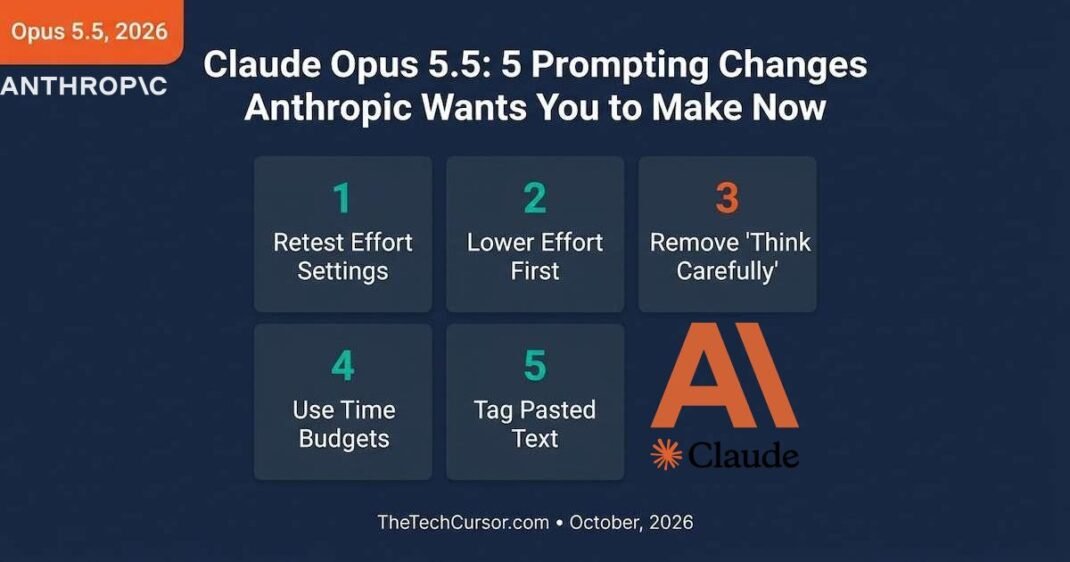
The five changes Anthropic recommends are practical and testable. Retest effort settings. Lower effort before adjusting prompts. Remove think-carefully instructions from chat system prompts. Use time budgets for agent workflows. Tag pasted external content.
Quick Checklist for Opus 5.5 Migration
- Retest effort settings — do not assume Opus 5 settings are optimal
- Test medium effort first — it often matches or beats Opus 5 at high
- Remove “think carefully” from chat system prompts and measure the impact
- Add time budget signals to multi-step agent workflows
- Tag pasted external content with XML and a random ID
- Review max_tokens settings — increase if responses are being cut off
- Replace vague style instructions with specific visual guidelines
Each of these changes is testable in an afternoon. Furthermore, each one could improve speed, reduce cost, or improve reliability without requiring significant rewrites to existing prompts or applications.