
Read time: 4 min
Table of Contents
- What Google Just Updated
- Why the Single-Country Limit Was Frustrating
- How the Multi-Country Filter Works
- The Best Use Cases for Multi-Country Filtering
- What This Means for International SEO Reporting
- Bottom Line
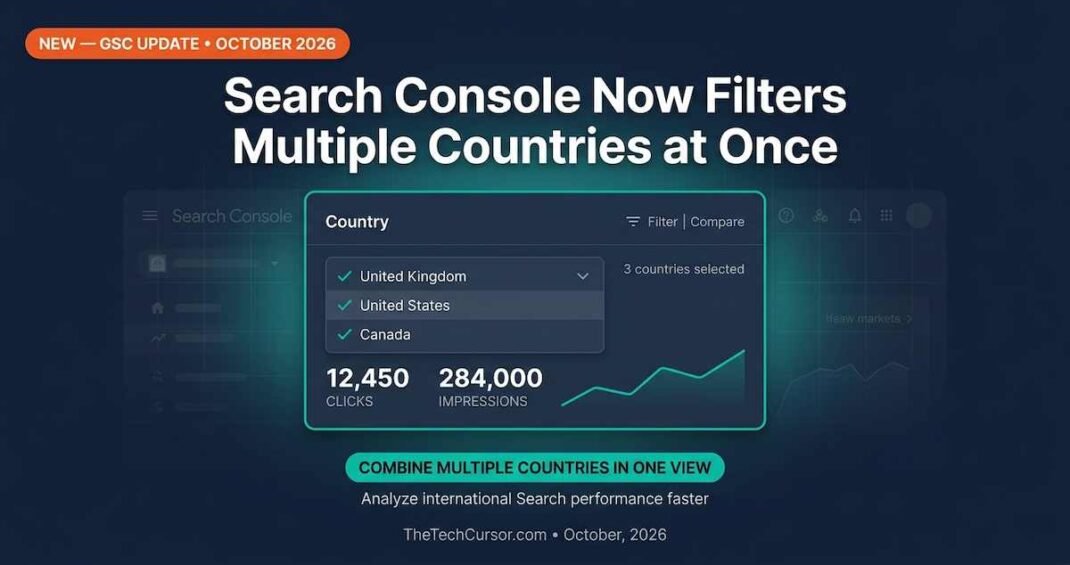
Google Search Console updated this on LinkedIn and wrote: its Performance report now allows filtering by multiple countries simultaneously. Previously, the country filter only allowed one country at a time. The update is small in scope but significant in practice — particularly for any site serving audiences across multiple markets.
1. What Google Just Updated
The Performance report in Google Search Console now supports multi-select in the country filter. You can select two, three, or more countries and see the combined performance data for those markets in a single view.
The update applies to the standard Performance report covering Google Search. It includes the usual metrics — clicks, impressions, click-through rate, and average position — filtered to the selected countries.
Previously, analyzing performance across multiple countries required either separate filtered views compared side by side, or exporting data to a spreadsheet and combining it manually. Neither approach was efficient for regular reporting. The multi-country filter removes that friction.
2. Why the Single-Country Limit Was Frustrating
For sites operating in a single country, the old filter was not a problem. For everyone else, it was a recurring inconvenience.
Consider a common scenario. A UK-based business expanding into the US and Canada wants to understand how its content performs across English-speaking markets combined. Previously, that required three separate filter views — one for the UK, one for the US, one for Canada. Comparing them meant either switching between tabs or exporting and merging data.
Furthermore, regional reporting was similarly cumbersome. An APAC-focused site wanting to see combined performance across Singapore, Malaysia, and Australia had no efficient way to do it inside Search Console. The data existed but required manual aggregation to be useful.
The multi-country filter solves both problems directly.
3. How the Multi-Country Filter Works
The update works through the existing filter interface in the Performance report. When you click the Country filter, you can now select multiple countries from the list rather than being limited to one.
The selected countries are combined in the view. Clicks, impressions, CTR, and position data reflect the aggregate across all selected countries — not individual breakdowns by country.
Consequently, if you want to compare countries individually, you still need separate filtered views. The multi-country filter is useful for seeing combined performance across a group of markets — not for side-by-side country comparison within a single view.
For side-by-side comparison, the Countries dimension in the performance table remains the right approach — showing each country as a separate row with its own metrics.
4. The Best Use Cases for Multi-Country Filtering
Several practical use cases benefit most from this update.
Regional market analysis: Sites targeting specific regions — EMEA, APAC, LATAM, or English-speaking markets broadly — can now filter to their relevant countries and see combined regional performance without manual aggregation. This is particularly useful for quarterly regional reporting.
Language-based groupings: A site publishing in Spanish can filter to all Spanish-speaking markets simultaneously — Spain, Mexico, Argentina, Colombia, and others — to understand aggregate performance for Spanish-language content without repeated filter switching.
International SEO campaign tracking: When a content or link-building campaign targets a specific set of markets, the multi-country filter lets you track campaign performance across those exact markets without exporting data. Furthermore, it makes it easier to show combined impact in client or stakeholder reports.
Excluding specific markets: Multi-select also makes it practical to exclude specific markets from a view by selecting all countries except those you want to exclude. This was theoretically possible before but too time-consuming to be practical.
5. What This Means for International SEO Reporting
The multi-country filter is a reporting efficiency improvement rather than a new data capability. The underlying data has always been in Search Console. This update makes it faster to access and more practical to use in regular workflows.
For international SEO specifically, the update reduces one of the most common friction points in reporting cycles. Teams that previously spent time exporting and merging country-specific data can now build reports directly from the Search Console interface.
Furthermore, the update pairs well with the Google Search Console AI Performance Reports. AI Performance data is available by country. Multi-country filtering in the main Performance report allows for consistent country groupings across both traditional and AI search reporting — reducing the manual work required to align the two data sets.
For international SEO strategy more broadly, the keyword seed selection for international SEO guide covers how to build market-specific content strategies. The multi-country filter in Search Console now makes it easier to measure the performance of those market-specific strategies across groups of related markets.
6. Bottom Line
Google Search Console’s multi-country filter is a straightforward quality-of-life update that removes a persistent friction point for international SEO practitioners. Filtering to multiple countries simultaneously — rather than switching between single-country views — saves meaningful time in regular reporting cycles.
Quick Action Steps
Update your Search Console reports — any saved filtered views for individual countries can now be replaced with multi-country views that cover entire regions or language groups.
Update your reporting templates — client and stakeholder report templates that previously required manual data aggregation across countries can now pull directly from multi-country filtered views.
Check your regional groupings — if you have defined regional market groupings for SEO purposes, set up corresponding multi-country filters in Search Console and save them for reuse.
The update is live now. It requires no configuration to access — just use the country filter in the Performance report and select multiple countries from the list.