
Read time: 5 min
Google Labs has an experiment called Dreambeans that creates personalized daily collections of stories. Google introduced it on 3 June 2026. On September 10, it expanded the app to all accounts in the United States.
This is not new news, but it is easy to miss. It also fits a pattern in Google’s products. The company is building more personalized, AI-assisted ways to deliver content.
1. What Dreambeans Is
Google describes Dreambeans as an experiment from Google Labs. It creates a daily set of stories that are personal to each user. Google calls each story a dreambean.
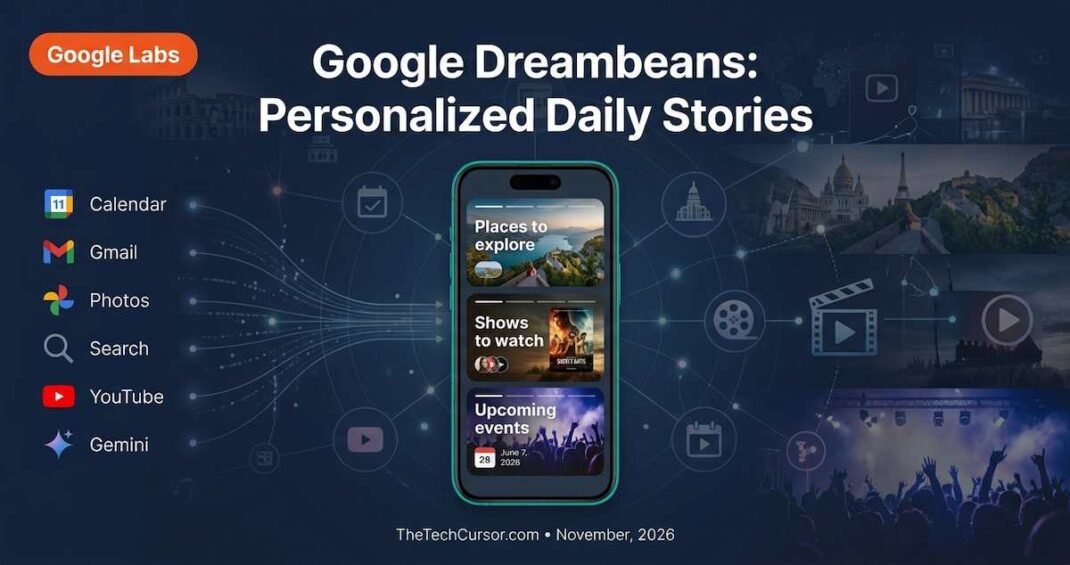
The app is aimed at everyday interests. Google’s examples include places to explore, shows to watch, and reminders about upcoming events.
Users can dive deeper into any story, bookmark it, or share it. They can also send feedback so that future stories improve.
2. How a Dreambean Is Built
According to Google, every Dreambean combines two ingredients.
Personalized topics. These reflect what the user is interested in.
Connected apps. The app distils information from the Google apps a user chooses to connect. These include Calendar, Gmail, Photos, Search, and YouTube. With the September update, Gemini joined the list.
If a user connects Google Photos, Dreambeans can include visuals of them and their loved ones in the stories. It also suggests ways to engage with those memories.
3. Who Can Use It
Dreambeans is available to all accounts in the United States for users aged 18 and over. It runs on Android and iOS.
A footnote says it is available to Google AI Plus, AI Pro, and AI Ultra subscribers, as well as consumer accounts. Google’s post does not mention availability outside the US.
4. What Google’s Post Does Not Say
The post is short, so several questions remain unanswered.
First, it does not say where story content comes from beyond the user’s topics and connected apps. It does not mention publishers or web sources. It does not say whether stories link to outside sites.
Second, it gives no detail on how connected data is handled. Users who connect Gmail or Photos should read Google’s privacy information before they do.
Third, it gives no numbers on usage or engagement.
Consequently, any claim about Dreambeans sending traffic to websites, or ignoring it, is speculation.
5. Why Publishers and Marketers Should Watch It
The following points are analysis, not statements from Google.
Dreambeans is one more personalized surface. Several recent developments point the same way. Google has been hiring to build AI-generated content for Discover, as the Discover AI content article explains. It has also tested summaries through Dive Deeper. Moreover, it tested removing source clicks in Discover.
Together, these moves suggest Google wants to deliver tailored content inside its own apps. Dreambeans shows the same idea applied to personal data from Gmail, Calendar, and Photos.
For publishers, the key question is simple. Will personalized story feeds send readers to publisher pages, or keep them inside Google? The post gives no answer.
6. What to Do
No urgent action is needed. Still, a few habits make sense.
- Watch for referral changes. If new traffic sources appear, note them in your analytics.
- Build direct audiences. Newsletters, communities, and loyal readers do not depend on how Google personalizes feeds.
- Keep your Google presence strong. The Search profiles article explains how profiles and followers fit Google’s content ecosystem.
- Read primary sources. For product details, rely on Google’s own announcements.
7. Bottom Line
Dreambeans is a Google Labs app that builds personalized daily stories from a user’s interests and the Google apps they connect. It became available to all US accounts on September 10. Google’s post says nothing about publishers, sources, or links.
The Takeaway
Treat it as a signal, not a threat. Therefore, watch how Google’s personalized surfaces develop, and invest in audiences you own.