
Read time: 8 min
Vibe coding means building a website by describing it to an AI tool. The result often looks polished within hours. However, a finished site is not automatically a searchable one.
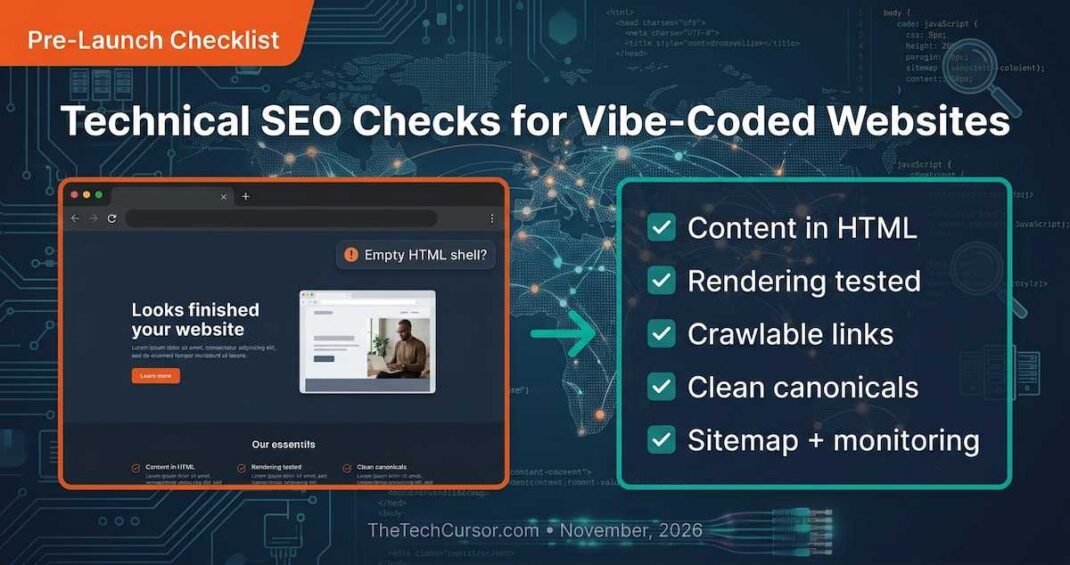
Therefore, this guide collects the technical checks that practitioners recommend before launching an AI-built site. It draws on several agency and practitioner guides. I could not open the original article that prompted it, so treat this as a synthesis and verify details for your own stack.
1. Why Vibe-Coded Sites Need a Technical SEO Pass
AI builders create what you ask for. Prompts usually describe layouts, features, and user flows. Consequently, SEO requirements often go unmentioned, and the tool does not add them on its own.
Practitioners list the same recurring problems. Specifically, these include content that needs JavaScript to appear, duplicate metadata, weak heading structure, missing canonical tags, and bloated code. Moreover, pages created by the AI may never be linked from the navigation.
Meanwhile, one principle runs through the better guides. There is no separate “AI SEO.” AI-built and hand-coded sites follow the same rules for quality, crawlability, and accessibility. Still, a vibe-coded site can rank, but it rarely does so without a review.
2. Check 1: Is the Content in the Initial HTML?
First, this is the most important check. Open a page, choose View Page Source, and look for your main heading and key text.
Google crawls pages and then renders them in a second stage. Search systems can process JavaScript, but a page that depends on a fragile client-side request is slower to understand and easier to break.
Many AI builders default to client-side rendering. In that setup, the browser receives a nearly empty shell and fills in content afterwards. Therefore, compare View Page Source with the rendered page. If key content appears only after scripts run, you have a risk.
For marketing sites and blogs, server-rendered or static HTML is the least ambiguous choice. Also, ask your AI tool to produce semantic HTML first, then add scripts afterwards.
The Freshpet GEO case showed the same issue for AI crawlers. Valuable content locked behind JavaScript was hard for them to read.
3. Check 2: Test Rendering in Search Console
Do not rely on how a page looks in your own browser. Instead, test what Google sees.
Use the URL Inspection tool in Google Search Console. Then view the rendered HTML and confirm that core text and links appear. Also check the screenshot and any reported resource errors.
Watch for JavaScript errors too. A script failure can stop a page from rendering properly. The cross-domain canonical case shows how an error message served to Googlebot can end up treated as page content.
Finally, check mobile rendering. Because Google uses mobile-first indexing, confirm the mobile version shows the same content.
4. Check 3: Make Every Page Crawlable
Crawlers follow links, but they do not click buttons the way users do.
- Use real links. Navigation should use standard anchor links with URLs, not JavaScript-only click events.
- Check client-side routing. Each route should resolve to a real, crawlable URL.
- Use crawlable pagination. Paginated content needs distinct URLs, such as a page parameter.
- Find orphan pages. Do not assume every AI-generated page is linked from the navigation. Crawl the site and compare it against your page list.
A site crawler helps here. Next, compare the pages it finds with the pages you meant to publish.
5. Check 4: Review Indexing Controls
AI tools can change robots rules, canonicals, and redirects without clear notice. Therefore, review these signals on the live site, not only in a local preview.
- Return a 200 status for indexable pages and a real 404 for missing ones.
- Use one preferred HTTPS host. Redirect other host and protocol variants to it.
- Set a self-referencing canonical on each indexable page. Do not point every page to the home page.
- Check robots.txt and noindex directives for leftovers from staging.
One practitioner tip is useful. Also, keep a written list of why each canonical and redirect exists, and store it in your project instructions for the AI. That stops later edits from undoing deliberate choices.
6. Check 5: Fix Metadata and Headings
AI-generated sites often repeat the same title and description across many pages. As a result, search engines struggle to tell the pages apart.
Give each page a unique title, a unique description, and one clear main heading. Use a logical heading hierarchy below it. Furthermore, give every page one job. A clear question, audience, and next action prevent a site from becoming a set of interchangeable sections.
Next, check that titles and headings match what the page actually says. Generic AI wording can hide the real topic.
7. Check 6: Validate Structured Data
AI can generate schema markup quickly. However, it can also invent or misstate details.
First, check every property against what visitors can see on the page. Then remove prices, ratings, or addresses that the page does not show. Then run the markup through a validator.
Accurate structured data helps search and AI systems read your content. However, inaccurate data creates entity problems. The schema and entity gaps case study explains why precise, verifiable values matter.
8. Check 7: Sitemaps and Monitoring
Crawlers do not automatically know your pages exist. Many vibe-coded sites lack an XML sitemap, a sensible robots.txt, or Search Console verification.
First, create an XML sitemap that lists canonical, indexable URLs. Then reference it in robots.txt and submit it in Search Console. Then monitor the indexing report.
If Search Console reports that it could not fetch your sitemap, do not assume a technical fault. The sitemap fetch explanation covers why quality and crawl demand can play a role.
Also, confirm that key pages are actually indexed. Excluded pages often point to rendering or quality issues.
9. Check 8: Performance and Accessibility
However, AI-generated code can be bloated. Unused libraries, large images, and heavy scripts slow pages down.
Test Core Web Vitals on real pages. Compress images and remove unused code. In addition, run a basic accessibility check. Clear structure helps visitors, assistive technology, search crawlers, and AI systems reach the same interpretation.
Do not skip this step because the site looks fast on your own machine. Test on mobile connections and on the live domain.
10. After Launch: Treat Updates Like Migrations
Moreover, vibe-coded sites change quickly. Each regeneration or platform upgrade can alter what crawlers receive.
For example, switching from client-side to server-side rendering changes the HTML delivered to crawlers. In effect, it works like a site migration. Therefore, keep a rollback plan and watch Search Console for sudden indexing or traffic changes.
Repeat the checks after major updates. Automated tests and scheduled checks of key pages catch problems early. The SEO automation guide explains which monitoring tasks suit automation.
11. Bottom Line
AI can build a site quickly, but it does not make the site search-ready. Therefore, content must be visible in the HTML, pages must be crawlable, indexing signals must be clean, and structured data must be accurate.
The Pre-Launch Checklist
- Key content appears in the initial HTML
- URL Inspection shows the rendered page correctly
- Navigation uses real links, with no orphan pages
- Canonicals, redirects, status codes, and robots rules are correct
- Unique titles, descriptions, and heading structure
- Schema validated against visible content
- XML sitemap submitted and indexing monitored
- Performance and accessibility tested on the live site
Run the checks before launch, and repeat them after every major update.
12. Sources Reviewed
This guide synthesizes common recommendations from the practitioner guides below. Several are agency or vendor sites, so they reflect their authors’ views. Verify technical details against Google’s documentation for your setup. The original article that prompted this guide could not be accessed.
- SEOteric — Technical SEO Checks for Vibe-Coded Websites: Navigating AI-Built Sites
- Fly High Media — Top 15 SEO Tips for Vibe-Coded Websites
- InsideA — Are Vibe-Coded Websites Good for AEO and SEO?
- Sachin Pokharel — Free Vibe Code SEO Checklist
- Vibe Marketing Systems — SEO for AI-Generated Websites: The Technical Checklist
- Vibe Marketing Systems — Vibe Coding SEO: How to Make an AI-Built Website Rank