
Read time: 6 min
Table of Contents
- What Google’s Engineers Just Explained
- PDFs Are Converted to HTML Before Indexing
- What Happens to Images in PDFs
- Links in PDFs Work Like Normal Links
- PDF Size Limits — What We Know
- PDFs Can Appear in AI Mode and AI Overviews
- The Simple Test for Whether Your PDF Can Rank
- HTML vs PDF — Which Is Better for SEO?
- When PDF Is the Right Choice
- Bottom Line
Google’s Martin Splitt and John Mueller explained in detail how Google processes PDFs for search indexing and AI search visibility. The explanation, shared on the Search Off The Record podcast, clarifies several commonly misunderstood aspects of PDF SEO — including why links in PDFs work, how images are handled, and whether PDFs can appear in AI Mode.
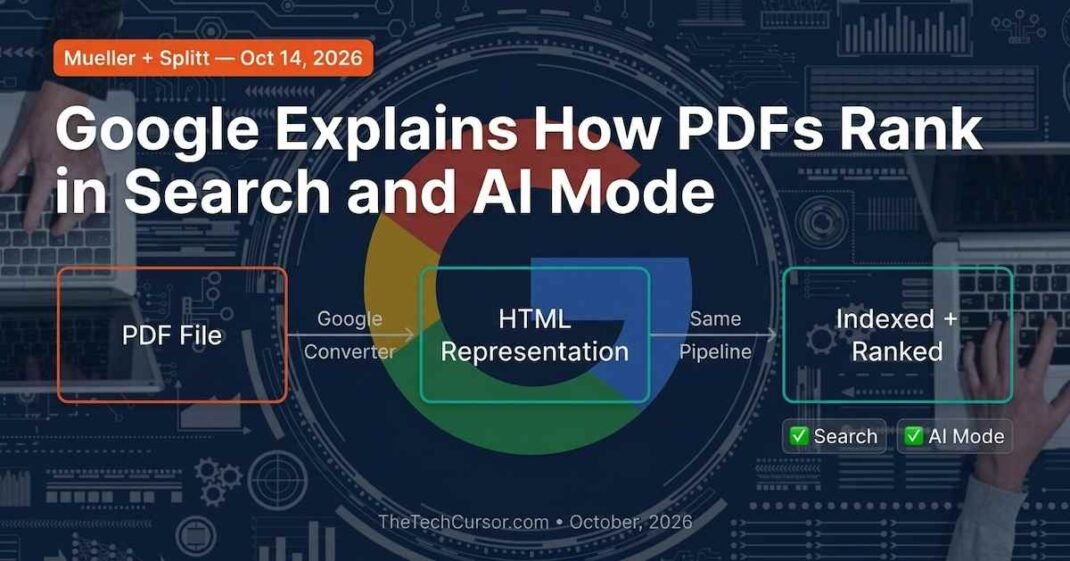
The short version: PDFs can rank in both traditional search and AI search. However, HTML remains the preferred format when both options are available.
1. What Google’s Engineers Just Explained
The conversation between Splitt and Mueller covered five specific dimensions of PDF processing: how Google converts PDFs for indexing, how images in PDFs are handled, whether links in PDFs are followed, what size limits apply, and whether PDFs can appear in AI search features.
Each of these questions has practical implications for site owners who publish PDFs alongside or instead of HTML pages. The answers resolve several long-standing points of uncertainty in PDF SEO.
2. PDFs Are Converted to HTML Before Indexing
The most important technical explanation in the conversation is how Google actually processes a PDF file.
Google does not index PDFs directly. Instead, it uses a converter component that transforms the PDF into HTML. That HTML representation then moves through the same indexing pipeline that processes regular web pages.
Splitt explained: “We have a component called a converter. And the converter component is part of what happens in indexing. It happens right after rendering and right before something potentially makes it into the index. One of the things we do is we look at the format. We have converters for a bunch of different formats, such as rich text files, document files, Excel sheets, and Lotus Notes documents for some reason. But also one of them is a PDF converter. So we are taking that and producing an HTML version of it.”
The practical implication is significant. A PDF is not treated as a fundamentally different content type by Google’s indexing systems. It is converted to HTML and then processed identically to a web page. Consequently, the same ranking factors that apply to HTML pages — content quality, link signals, entity signals, structured data — also apply to the HTML representation that Google creates from a PDF.
3. What Happens to Images in PDFs
PDF images are handled differently from HTML page images — and the situation is currently uncertain.
Splitt acknowledged uncertainty about this specifically: “I think we might actually pick them up. I’m not sure how we would process them because the way that we normally process them is that we give the URLs of the image to the image search pipeline that then works with this. Here we don’t really have a URL because it’s part of the PDF.”
His current understanding is that Google recognizes an image exists within the PDF but cannot process it through the standard image pipeline — because embedded PDF images do not have their own URLs that the image indexing system can reference.
Furthermore, Splitt noted this could change: “That might change or might have changed; that’s my current understanding of how that pipeline works.”
The practical guidance is straightforward. Do not rely on images embedded in PDFs for image search visibility. If images in a PDF are important for SEO purposes, publish them separately with proper file names, alt text, and surrounding context on an HTML page.
4. Links in PDFs Work Like Normal Links
Links embedded within PDFs are followed and processed by Google — because the link structure is preserved in the HTML conversion.
Mueller summarized this clearly: “So basically when Google sees a PDF file, it converts it into something that it has more practice with, kind of a web page. And I guess that’s also why things like links also work in PDF files.”
Splitt confirmed: “Yep. Because we convert it into an HTML page and then the rest of our systems are like, ‘I know how to deal with an HTML page,’ and they just do their stuff.”
This confirmation has two practical implications. First, links from PDFs to other pages on your site contribute to internal linking signals — they are not invisible to Google. Second, links from PDFs to external sites function as outbound links that those external sites can benefit from. Third, and most importantly for sites that receive inbound links, a link from a PDF on another site to your pages is a functioning link signal that Google can process.
5. PDF Size Limits — What We Know
Mueller asked about PDF file size limits. Splitt acknowledged that the exact limit is unknown but provided a useful framework for thinking about it.
Splitt explained: “I assume that we have a larger file limit, just the same as we do for videos and images. But I don’t know the specific limit for PDF files.”
He also noted that the HTML size limits Google has published for web pages likely apply to the HTML representation created from the PDF — once the PDF is converted, the resulting HTML falls under standard HTML processing constraints.
The practical guidance is to keep PDFs as lean as possible — particularly for SEO-critical PDF content. Very large PDFs may hit size limits that truncate the content Google can index. Furthermore, Splitt acknowledged that size limits could change over time if Google observes that publishers are commonly using larger PDFs.
6. PDFs Can Appear in AI Mode and AI Overviews
Mueller confirmed directly that PDFs can appear in AI search features for the same reason they can rank in traditional search.
“So they can also appear in AI overviews, AI mode, all of those things,” Mueller stated.
The mechanism is the HTML conversion. Because Google converts PDFs to HTML before indexing, the content is as accessible to AI retrieval systems as any HTML page. When AI Mode or AI Overviews pull content to generate a response, a PDF-sourced page is treated the same as an HTML-sourced page in the retrieval process.
For sites that publish significant content as PDFs — research reports, white papers, government documents, technical specifications — this confirmation means that PDF content is not excluded from AI search visibility. The same GEO strategies that improve HTML page citation probability apply to PDFs as well: clear entity signals, well-structured content, and accessible selectable text.
7. The Simple Test for Whether Your PDF Can Rank
Splitt provided a practical test for whether a specific PDF can be indexed for search.
“If your content warrants it. Obviously HTML is a really flexible format, and I prefer that, but if you have a PDF for whatever reason, go for it… indexing and ranking is pretty much the same as any other document.”
He also described the test: if you can highlight and copy the text from the PDF into a text editor, Google can index that text. If the PDF is essentially a scanned image — where text cannot be selected — Google recognizes an image exists but cannot process the text for indexing.
Furthermore, this distinction matters specifically for AI search. Text-selectable PDFs are processable by AI retrieval systems. Image-based PDFs — scanned documents without selectable text — are not retrievable for AI-generated answers even if they appear in traditional search results as image files.
8. HTML vs PDF — Which Is Better for SEO?
Mueller expressed a clear preference for HTML over PDF when both options are equally viable.
“If the option is a menu as a PDF versus a normal web page, I kind of like normal web pages because it’s easier to interact with them.”
He framed the preference practically rather than categorically. HTML is not always better than PDF — it depends on the content type and the user need. For content that needs precise formatting for print, requires interactive form fields, or is intended to function as a downloadable document, PDF remains appropriate.
However, for content where the primary purpose is to be read and indexed online — where HTML would work equally well — Mueller’s preference for HTML reflects a pragmatic principle. HTML is the native format for web indexing. Converting a PDF to HTML is an additional processing step. Furthermore, HTML pages support richer interaction signals, are easier to update, and do not require file downloads for users to access the content.
The Google 14-point content quality checklist covers content optimization principles that apply equally to HTML pages and PDF content. However, several of those principles — structured data, internal linking, and update freshness — are easier to implement and maintain on HTML pages than on PDFs.
9. When PDF Is the Right Choice
Splitt gave specific examples of when PDF is appropriate: precise formatting requirements, printable documents, and interactive forms.
“If you are running a holiday lodge and you are publishing a form that makes it easier for you to process people who are registering to stay at your holiday lodge, then absolutely do this as a PDF if it helps you. Restaurants oftentimes have the printers create the menus that they actually physically print on paper as a PDF as well, and you can just upload that to your website. It’s better than not having your menu on the website at all.”
For SEO and content strategy purposes, PDF is the right choice in several specific scenarios:
Research reports and white papers — Documents intended for download and offline reading, where the PDF format preserves precise layout and enables annotation.
Legal and compliance documents — Content where format integrity matters for legal or regulatory reasons and where scanned-image versions of signed documents are not needed for indexing.
Technical specifications — Complex technical documents where precise formatting is essential and where the document may be referenced by standards bodies or industry partners in PDF format.
Printable resources — Checklists, templates, and reference materials that users will print rather than read online.
In each of these cases, the PDF format serves a genuine user need that HTML cannot equally satisfy. For everything else, HTML is preferable from an SEO and AI search visibility standpoint.
10. Bottom Line
Google’s explanation of PDF ranking confirms that well-structured PDFs with selectable text can compete effectively in both traditional search and AI search features. The HTML conversion mechanism means PDF content is not treated as a second-class format — it enters the same indexing pipeline as web pages.
However, PDFs come with specific limitations that HTML does not: uncertain image indexing, unknown size limits, and reduced support for structured data and interaction signals. These limitations make HTML the preferred format when both are viable.
The PDF SEO Checklist
- Test selectability — copy all text from the PDF into a text editor. If the text appears cleanly, Google can index it.
- Keep file size manageable — very large PDFs may hit indexing size limits. Optimize file size where possible.
- Add internal links — links within PDFs are followed by Google. Use them to connect PDF content to relevant HTML pages.
- Do not rely on embedded images — images within PDFs may not be processed by Google’s image pipeline. Publish important images on HTML pages with proper alt text.
- Prefer HTML when both work equally well — for content that does not require precise print formatting or form functionality, HTML is easier to index, update, and optimize.
- Use PDFs for GEO-eligible content — research reports, white papers, and technical documents published as PDFs can appear in AI Overviews and AI Mode with the same citation probability as HTML pages — provided the text is selectable and well-structured.